|
Troubleshooting - Layout Issues
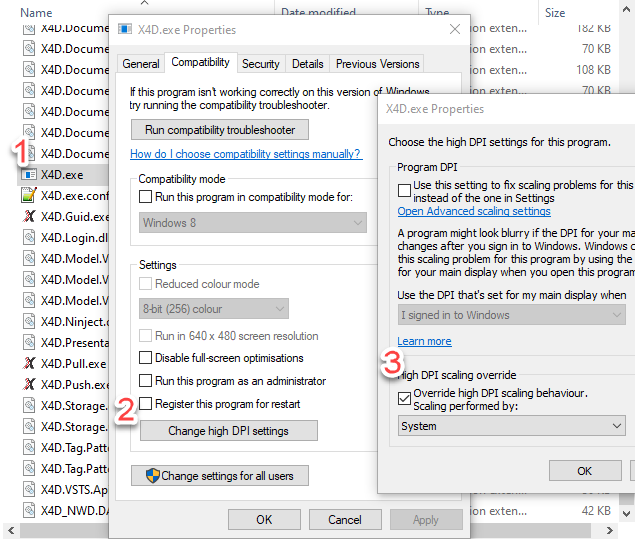
If you are having issues with the layout of X4D in your application, you can disable the application automatic layout setup and rely on the system.
1. Go to the executable X4D.exe > Right Click > Properties
2. Compatibility > Change high DPI settings.
3. High DPI scaling override, Select 'System'
|

